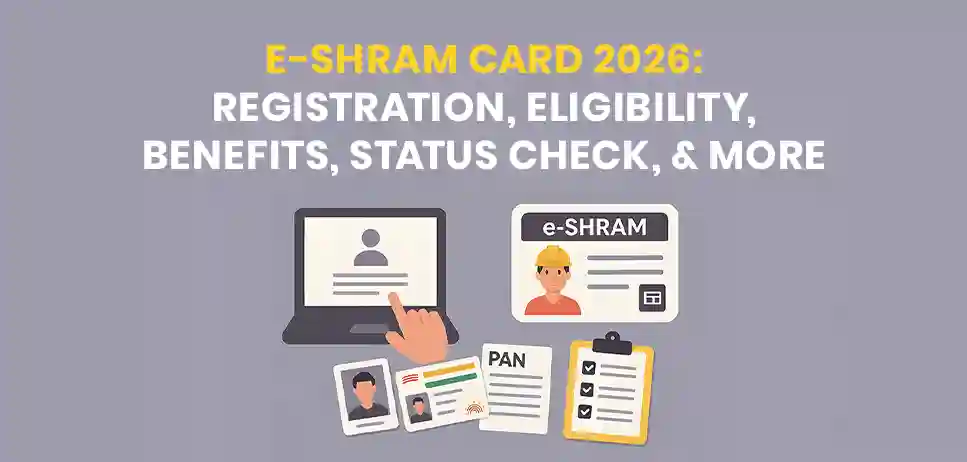
Having an e-Shram card is great news for a daily wage labourer. If you happen to be domestic help, a street vendor, a construction worker, an agricultural worker or a gig worker (such as a delivery rider or a cab driver), then an e-Shram card is something that you should have.
It is one of the most important schemes launched by the Indian government for those workers who work in the unorganised sectors. This card is absolutely free, and the process of getting it only takes a few minutes. The e-Shram card download links you to various social security schemes such as accident insurance and pension schemes.
In this elaborate blog post, we will learn everything about e-Shram card benefits, including its definition, eligibility criteria, required documents, registration process and checking of card status. So let’s get started.
e-Shram (eshram.gov.in) is the National Database of Unorganised Workers (NDUW). This web portal is developed by the Ministry of Labour and & Employment, Government of India.
This is the first-ever database that has been created at the national level, exclusively for the workers of the unorganised sector, including migrant workers, construction workers, street vendors, domestic workers, agriculture workers, and gig/platform workers, including food delivery/cab-aggregator partners.
This portal will collect basic information related to the workers, like their names, addresses, occupations, levels of education, skill types, and family information, and link this information to the Aadhaar.
This way, once the registration of the worker is complete, then he/she is assigned a permanent number of 12 digits known as the Universal Account Number (UAN). Also, there is an e-Shram card that contains this number.
In summary, e-Shram is a free identity project initiated by the government that will assist them in identifying the workers along with the knowledge of where they reside and work.
India did not have any one-time updated database of workers operating in the unorganised sector prior to the launch of e-Shram. This was a big challenge faced during the outbreak of the COVID-19 pandemic because the government could not reach out to daily wage and migrant workers who required help.
According to the website of the portal itself, these are some of the major objectives of the scheme:
Eligibility criteria for getting registered with an e-Shram card are quite simple and stated as follows:
According to the e-Shram portal, an unorganised worker can be categorised as being a home-based worker, a self-employed worker, and a wage worker working in the unorganised sector.
An unorganised worker may also comprise an organised worker not covered under ESIC and EPFO or even a government worker. In other words, any individual who doesn’t get PF, ESI, or a government pension through his work is likely to be an unorganised worker.
Unorganised workers include people from various fields like construction workers, domestic workers, street vendors, agricultural and farm workers (landless farmers), rickshaw and auto drivers, home-based artisans, handloom and handicraft workers, rag pickers, and gig workers like delivery boys and cab drivers.
You require a minimal number of documents in order to register on the e-Shram portal. According to the official website, the following are the requirements:
In case the mobile number of the applicant is not linked with his/her Aadhaar card, then he/she will have to go to the nearest Common Service Centre (CSC). Then go to State Seva Kendra (SSK) and get registered with biometric authentication (fingerprint/iris) rather than OTP. There is no requirement to submit any document physically to the CSC; just take your Aadhaar number and mobile number.
Also Read: PM Awas Yojana New Beneficiary List
Registration on e-Shram portal is absolutely free and can be done anytime, even at night. Below is the process for registration on the e-Shram portal:
Step 1:Visit the official website www.register.eshram.gov.in or www.eshram.gov.in
Step 2: Click on Register on eShram from the home page.
Step 3: Enter your mobile number linked with Aadhaar along with the CAPTCHA code, and then click on Send OTP.
Step 4: Check if you are a member of EPFO, ESIC or Government Sponsors NPS Scheme (Click on 'No' for both, in case it is applicable)
Step 5: Verify by entering the OTP that is sent to your registered mobile phone and move forward towards the e-KYC verification process.
Step 6: Provide your Aadhaar number and verify through the e-KYC process by using an OTP. This will automatically fetch the following information, such as your name, date of birth, gender, and address, from your Aadhar.
Step 7: Provide all other details, including personal details, current & permanent address, educational qualifications, occupation (primary and secondary occupation, in case any are using NCO code), bank account number (with IFSC code) and nominee details section-wise.
Step 8: Preview all your details and especially check your name and bank details.
Step 9: Submit the application and get your 12-digit UAN number. Download the E-Shram Card in PDF format immediately.
For those workers who do not have a mobile number linked with the Aadhaar card or who are unable to register themselves online. The nearest Common Service Centre (CSC) or State Seva Kendra (SSK) can be used.
In the CSC, the registration process involves biometric verification through Aadhaar fingerprint/iris scan rather than the OTP mode. You can use the CSC locator tool provided on the e-Shram website to find the location of the nearest CSC. No documents need to be furnished at the CSC, as you just have to give your Aadhaar and mobile numbers.
UAN stands for Universal Account Number. It is a unique 12-digit number which is allotted to each worker on the successful registration at e-Shram. Once the number is allotted, there is nothing that needs to be done again. This number does not expire.
The e-Shram Card acts as the physical proof of the successful registration. Important aspects worth remembering are:
In case you are already registered and want to check your registration status, re-download your card, or modify your profile, you can do it by following these instructions:
Step 1: Go to eshram.gov.in and click on “Already Registered? Update".
Step 2: Log in using your UAN, Aadhaar card, or registered mobile number with the use of a one-time password (OTP).
Step 3: After logging into your account, you can see your profile, download your card, or modify your address, occupation, or banking details.
Step 4: After making changes, click on “Save” or "Update".
Step 5: In case you forgot your UAN number, you can find it on the screen after your OTP login through your registered mobile number.
Registration of e-Shram alone cannot provide the money directly in your account. It actually establishes your identity as an unorganised worker, which will be used by the government. Its various departments for checking your eligibility and granting you benefits under the different welfare schemes.
The schemes provided under e-Shram Portal under the social security welfare schemes are listed below:
| Scheme | Who It Is For | Key Benefit |
|---|---|---|
| PM-SYM (Shram Yogi Maan-Dhan) | Unorganised workers, age 18-40, monthly income below Rs.15,000 | Voluntary pension scheme: Rs.3,000 monthly pension after age 60; contribution matched equally by the Central |
| PMJJBY (Jeevan Jyoti Bima Yojana) | Age 18-50, with a savings/Jan Dhan account | Rs.2 lakh life cover on death due to any cause; premium of Rs.436 per year, auto-debited |
| PMSBY (Suraksha Bima Yojana) | Age 18-70, with a savings/Jan Dhan account | Rs.2 lakh for accidental death or full disability, Rs.1 lakh for partial disability; premium of Rs.20 per year |
| Atal Pension Yojana (APY) | Age 18-40, bank account linked with Aadhaar | Guaranteed monthly pension of Rs.1,000 to Rs.5,000 after age 60, based on contribution |
| Ayushman Bharat – PM-JAY | Eligible families as per scheme criteria | Health cover of Rs.5 lakh per family per year for hospitalisation |
| Public Distribution System (PDS/ONORC) | Below poverty line and eligible families | Monthly foodgrain quota, portable across states for migrant workers under ONORC |
| PMAY-Gramin | Eligible rural families without a pucca house | Housing assistance of Rs.1.2 lakh (plain areas) or Rs.1.3 lakh (hilly areas) |
| National Social Assistance Programme (NSAP) | Elderly with little or no regular income | Monthly pension of Rs.1,000 to Rs.3,000, depending on state contribution |
| PM Kisan Maandhan Yojana | Small and marginal farmers, age 18-40 | Assured monthly pension of Rs.3,000 after age 60 |
Note: The enrolment in the schemes like PMSBY and PMJJBY happens through your bank account or the Jansuraksha portal, where eligibility, premium rates, and renewals are decided according to the individual schemes' guidelines.
e-Shram registration assists you in establishing your identity as an unorganised worker, but it doesn't substitute for individual enrolment in each scheme. It is always advisable that you check the premium amount and benefits offered by the schemes at the official jansuraksha.gov.in portal. Government terms and conditions may change from time to time.
Many workers, including those in construction, sometimes get the difference between e-Shram card and the state labour card (BOCW card) mixed up. However, these two cards are not the same:
In case of any problem related to registration, login or profile, there are options to contact the official e-Shram helpline as follows:
In case you are not able to connect to the helpline due to the congestion of calls, the official website suggests you try later or file the grievance on the online grievance portal.
Also Read: DLF Sells Gurgaon Penthouse
The e-Shram card is much more than that, as it is the first step towards providing social security and identity to the mass population of workers in India. After registration on the e-Shram portal, workers are entitled to obtain a UAN (Universal Account Number).
They are included in the national database system, which allows for a more effective delivery of welfare programmes by the government. The process is completely free, easy, and carried out online; all you will need is only an Aadhar card and a registered mobile number connected to it.
E-Shram Card does not provide you with the facility of accessing financial support directly from the system. However, it will help you gain entry into various government schemes like accident insurance, pension, health, etc.
You should keep updating your data regularly, including the bank details, occupation, and mobile number on the portal, so that you can receive payments in time.
In case you have some issues while registering and downloading the UAN card, you can seek help from the toll-free e-Shram hotline or nearby Common Service Centers (CSC).
Recent Posts
Follow Us




Leave a Comment